Reference·First runIndexClose
First run
The setup wizard: when it opens, what each stage shows, and the usual mistakes.
nodecode
When setup opens
| Case | Result |
|---|---|
| No provider has a credential | Setup opens on the first frame. |
nodecode setup | Setup opens on the first frame. |
/setup in the shell | Setup opens now. |
A credential can come from config.jsonc, auth.json or the environment.
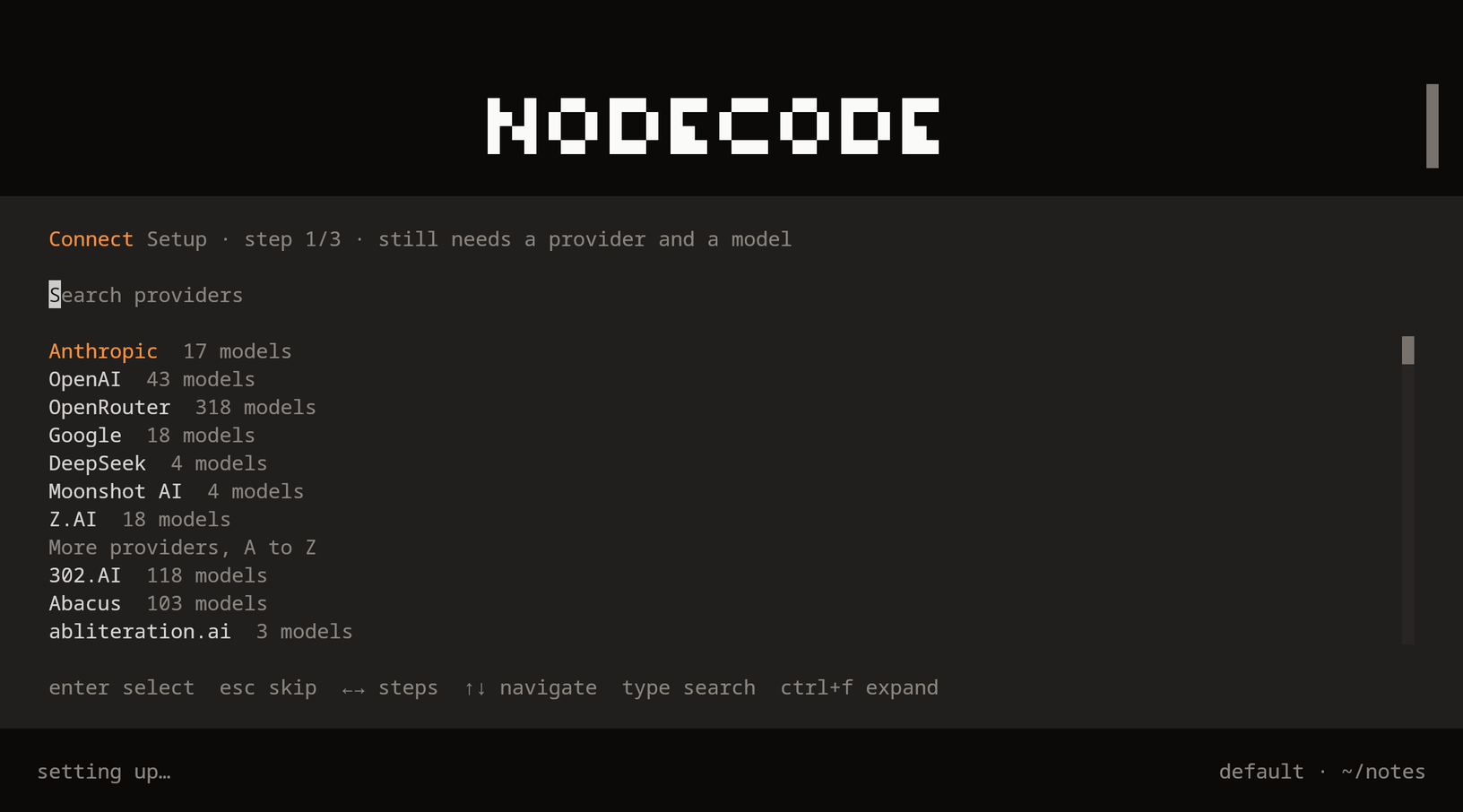
The walk has up to four steps: Import, Provider, Model, Cells. The counts them and says what is still missing. The lists what each stage takes. Esc skips a stage. Left and Right move between steps.
Exporting OPENAI_API_KEY before the first launch
A key in the environment counts as connected, so setup never opens. The first prompt gets no model is chosen yet.
Instead: Run nodecode setup, or /models in the shell.
Quitting halfway and expecting it to pick up
The walk keeps no state. Once one key is saved, the next launch opens no wizard.
Instead: nodecode setup walks it again.
Writing config.jsonc by hand before the first run
A parse error stops the launch: is not valid JSONC (byte N).
Instead: Fix it or move it aside. Then nodecode setup.
1. Import
Runs only when another coding agent's home is on this machine. Nodecode knows 15 of them: Claude Code, Codex, OpenCode, Cursor CLI, Gemini CLI, Qwen Code, pi, Crush, Cline, Windsurf, Kiro, dotagents, Hermes Agent, Openclaw and Command Code. It does not ask first.
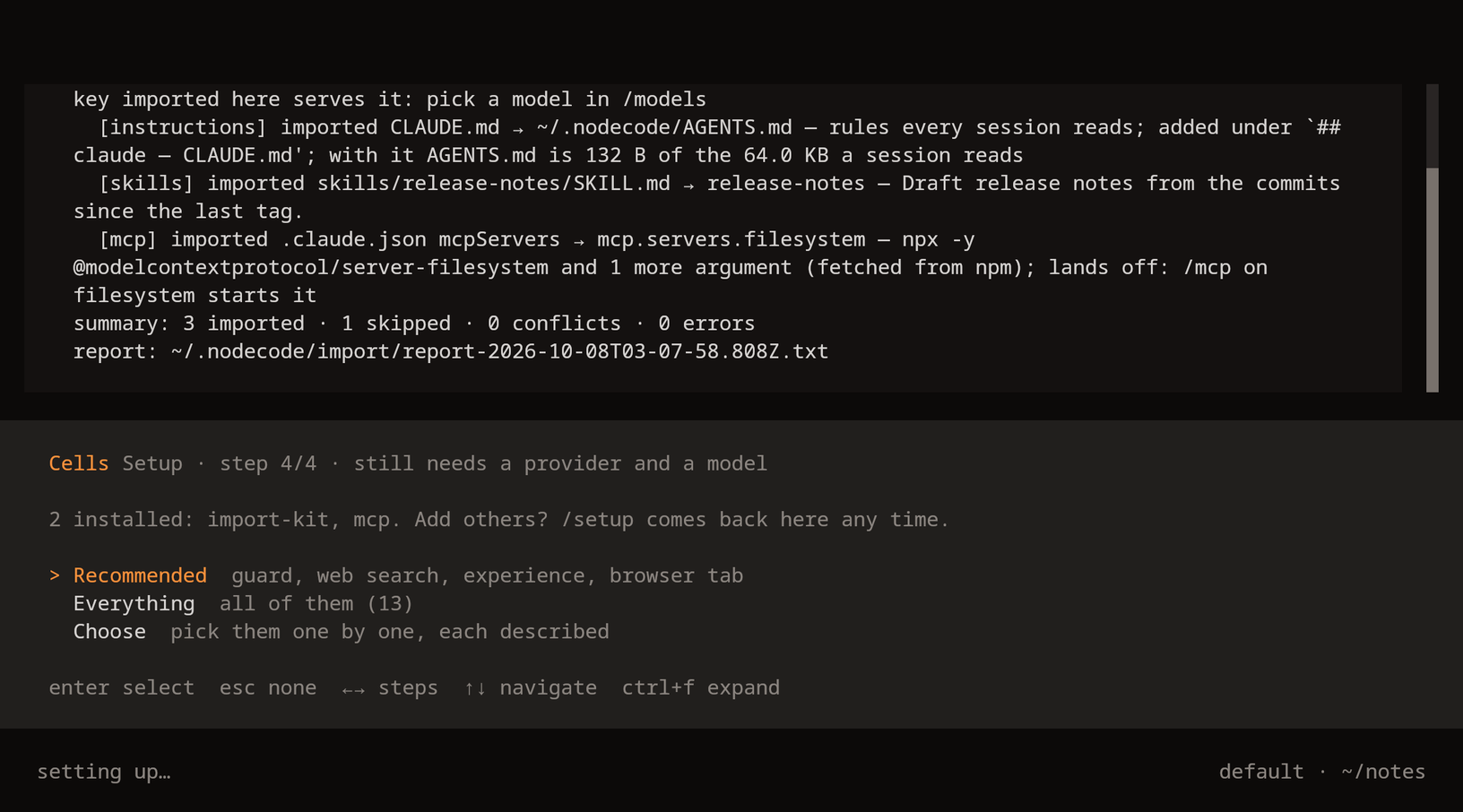
The report lands in the transcript, one line per item: , , . A counts them. The cells the import needed are when the walk reaches Cells.
| Item | Here |
|---|---|
| Instructions | Added to ~/.nodecode/AGENTS.md, under the agent's name. |
| Skills | Kept by name, with their description. |
| MCP servers | Written to the config, off. /mcp on NAME starts one. |
| API keys | Copied to auth.json, then checked. |
| Sign-ins | Stay with the other agent. |
| Sessions | Left out. nodecode import WORLD --only sessions brings them. |
| Settings this home already has | Kept. |
| Report | ~/.nodecode/import/report-<time>.txt |
Starting where another agent holds keys you don't want here
The import runs without a question. Keys and bot tokens come with it.
Instead: Run nodecode import WORLD first and pick Skip. Then nodecode.
Expecting a Claude Code or Codex sign-in to come over
A sign-in stays with its agent. The report says so: no key imported here serves it.
Instead: Paste an API key in the provider step.
Waiting for an imported MCP server to answer
Imported servers land off: lands off: /mcp on filesystem starts it.
Instead: /mcp on NAME, once you have read what it runs.
2. Provider
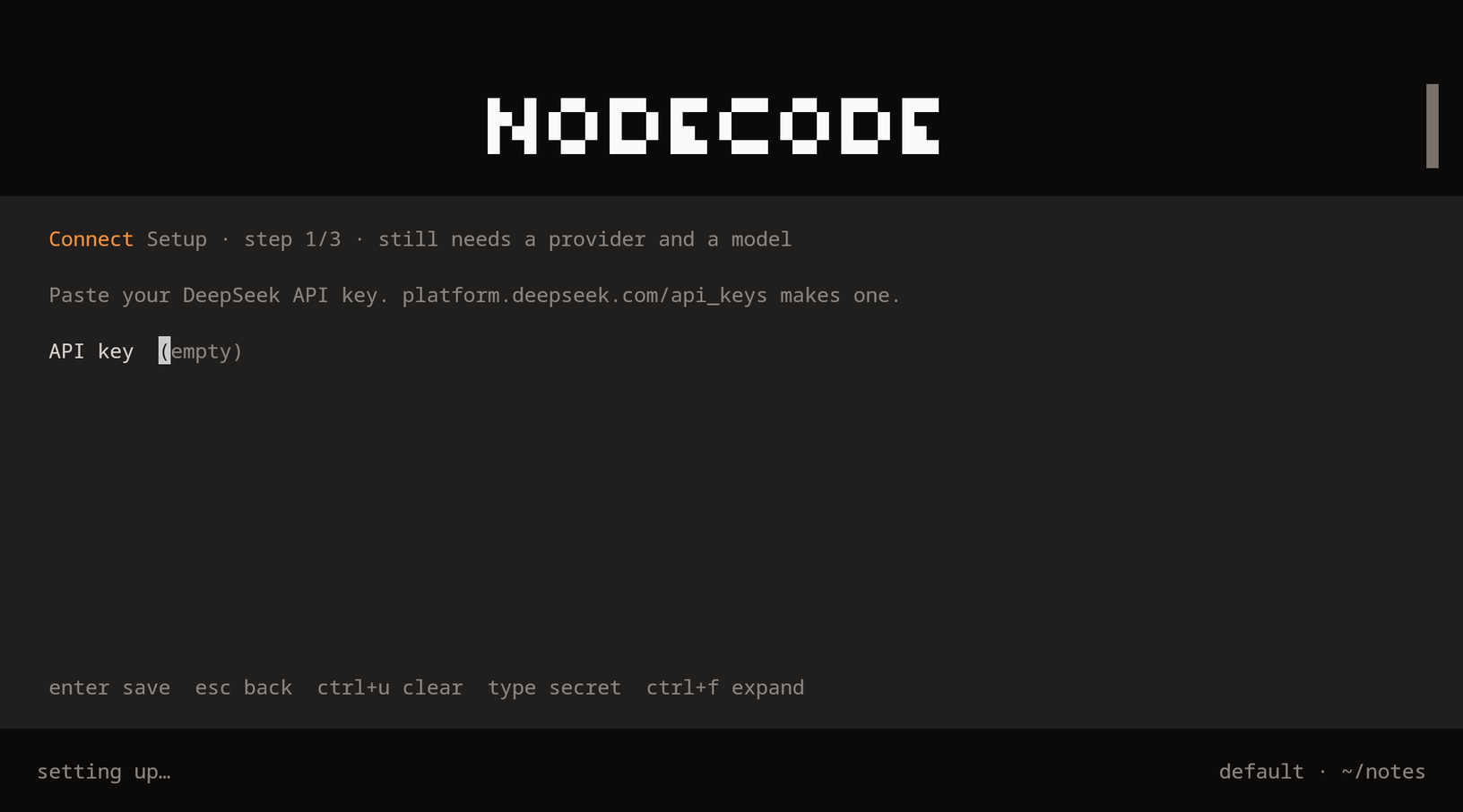
Seven providers come first, then the rest A to Z. Enter on one asks for its key and that makes one. The shows stars.
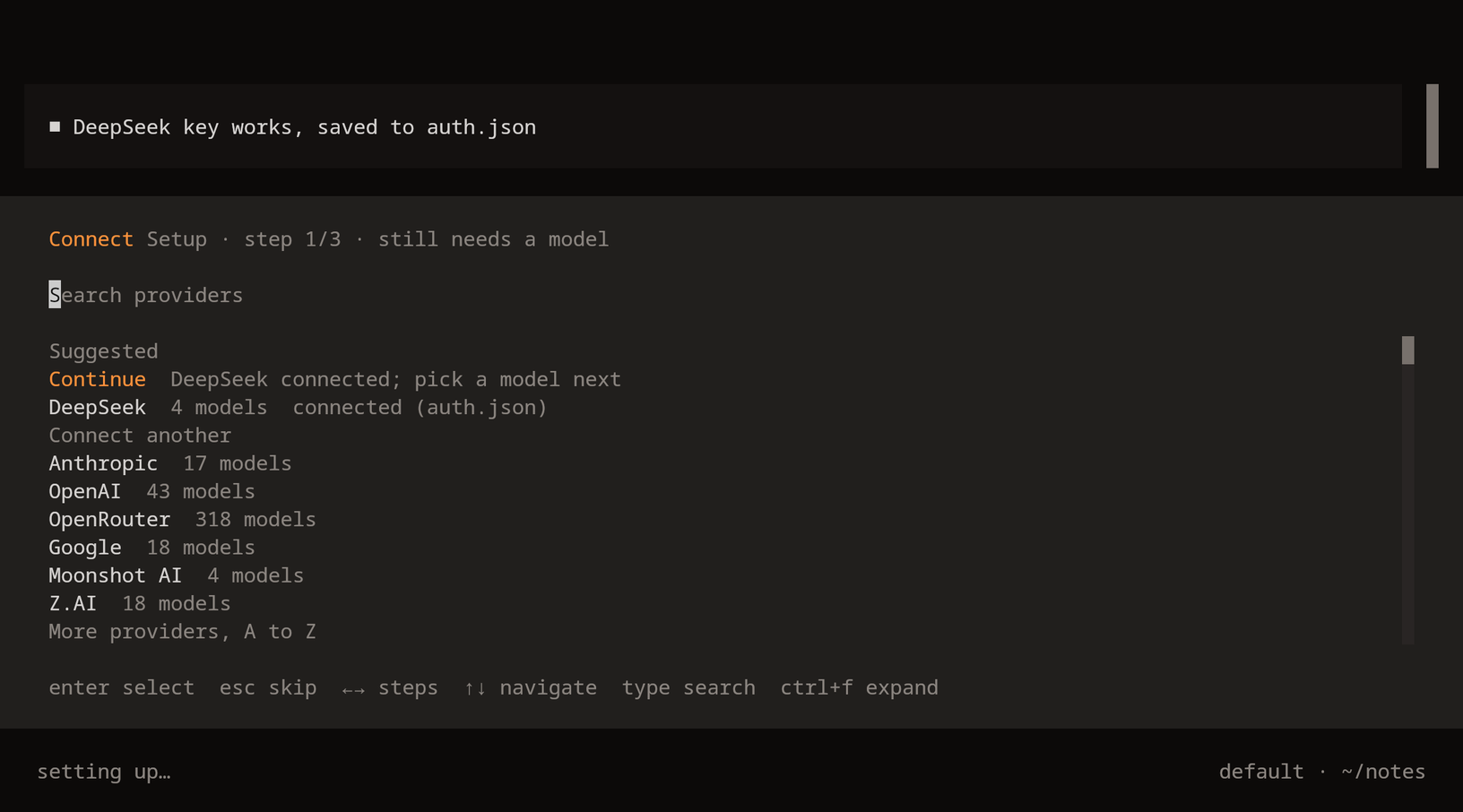
Nodecode asks the provider before it saves. A key that answers goes to ~/.nodecode/auth.json . The provider moves up under Suggested, over a . Connect a second one, or press Enter on Continue.
Pasting the key while the list is open
It goes into the search, in plain text, and finds No matching providers.
Instead: Press Enter on the provider first. Paste into the key field.
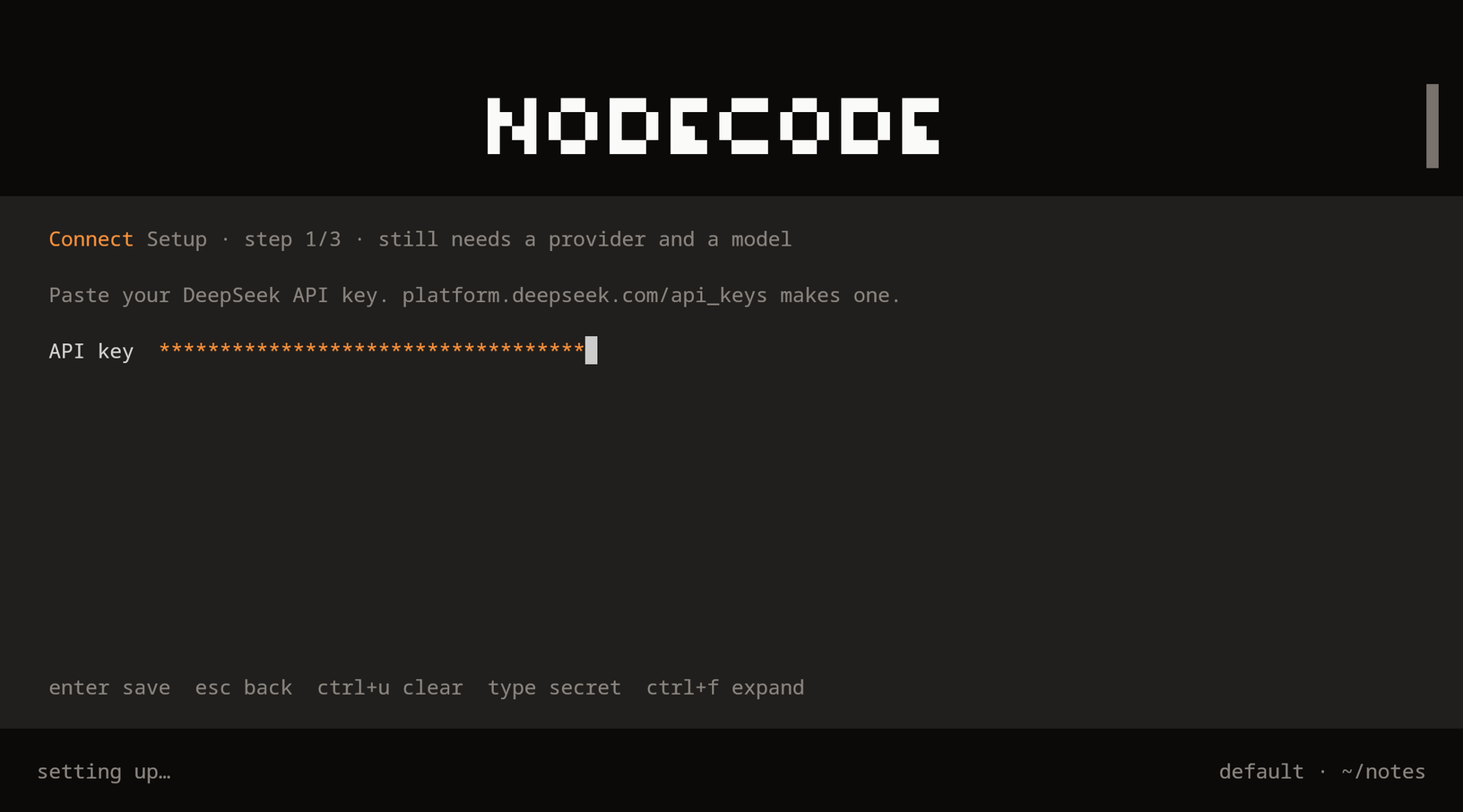
Pasting a key from another provider, or one with a typo
DeepSeek refused this key (HTTP 401 invalid_api_key); nothing was saved.
Instead: Make a key on the page the step names. Enter pastes another.
DeepSeek key works, saved to auth.json.Reading "saved" as "works"
A provider that doesn't answer in 5 seconds gets the key saved anyway: not checked: no answer.
Instead: Run /doctor. If the key fails, /connect takes it again.
Connecting a local server before it runs
nothing listens at …; nothing was saved.
Instead: Start the server. Enter checks again.
Pressing Ctrl+V over SSH
No clipboard to read here — paste with your terminal (Ctrl+Shift+V)
Instead: Ctrl+Shift+V.
3. Model
The picker opens on the : the provider's newest that can call tools. Type to search. Enter makes the the default for every session.
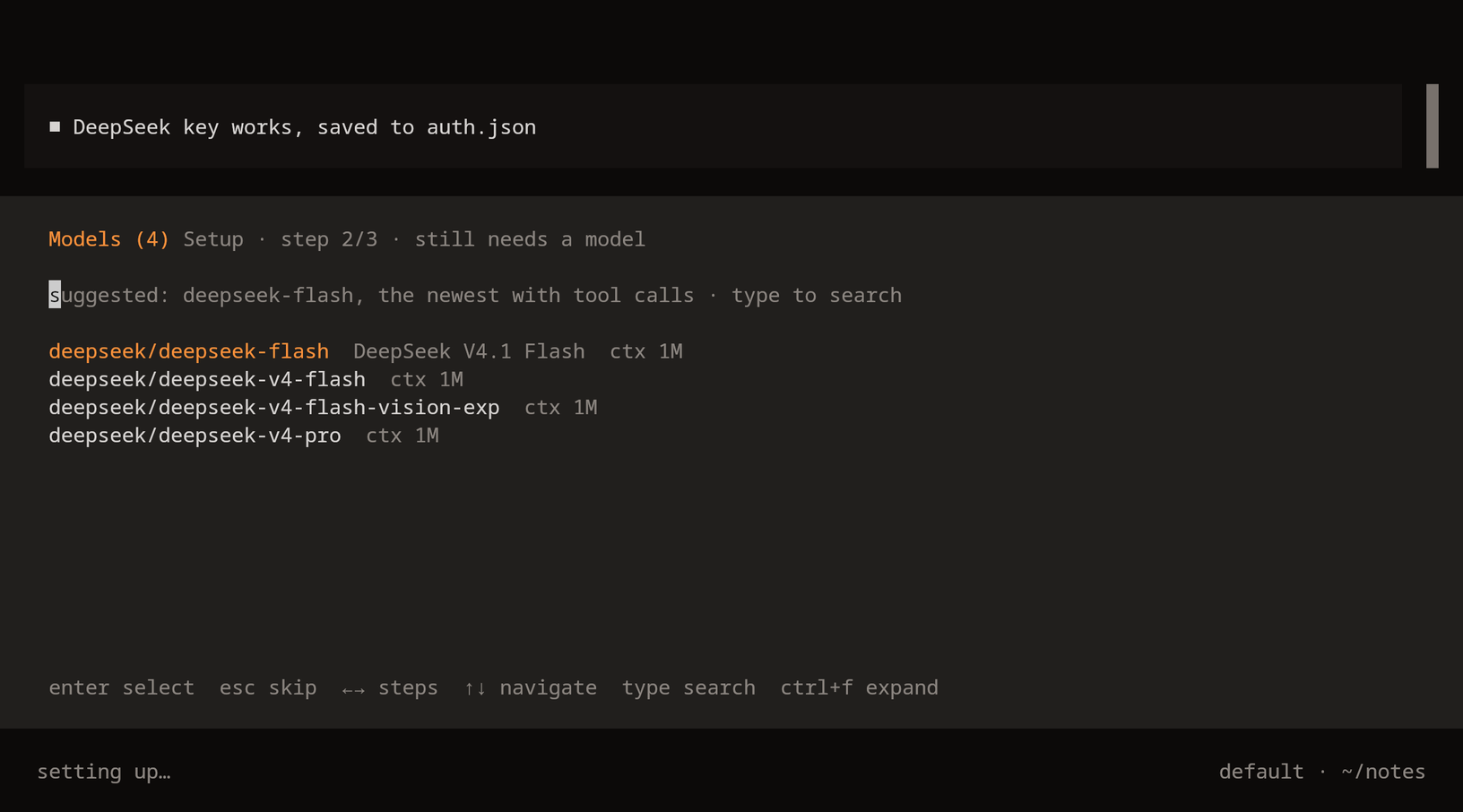
Pressing Esc on the model step
Nothing is picked. The summary says model: no model configured, and every prompt fails until one is.
Instead: /models.
Pressing Enter on the first row without reading it
It is the newest model with tool calls, not the one you use.
Instead: Type part of the name you want, then Enter.
Editing config.jsonc while the walk runs
The pick can't be written: was not saved: … is not valid JSONC.
Instead: Fix the file. Then /models.
4. Cells
A cell is a folder of code under ~/.nodecode/cells/. The step offers , and for none.
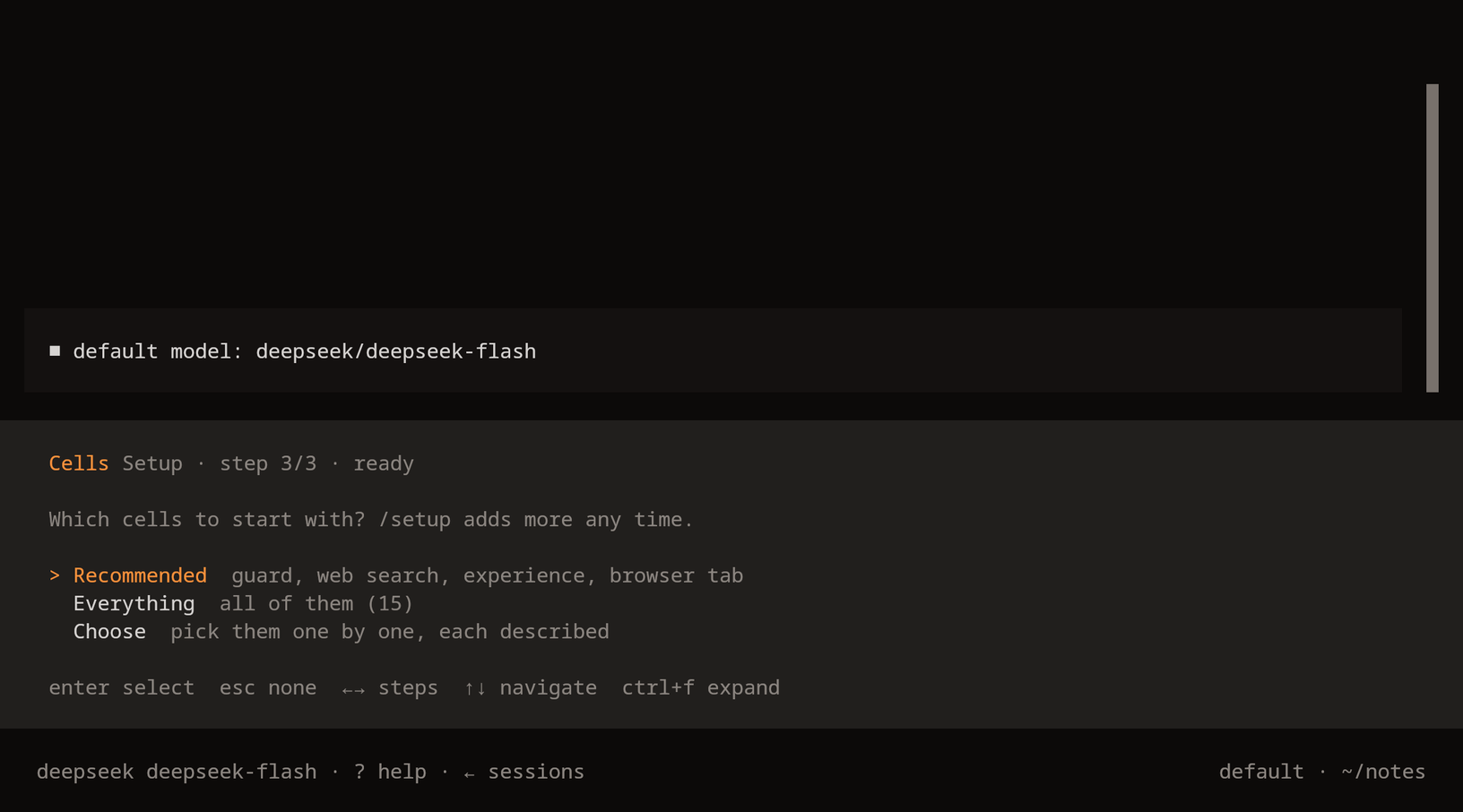
| Answer | Installs |
|---|---|
| Recommended | guard, web search, experience, browser tab. None needs a key, an account or a server. |
| Everything | Every shipped cell not installed yet. |
| Choose | A checklist of shipped and hub cells. Space marks one. Enter installs the marked ones. |
| Esc | None. |
In Choose, a shows [x]. A cell names what it brings with it.
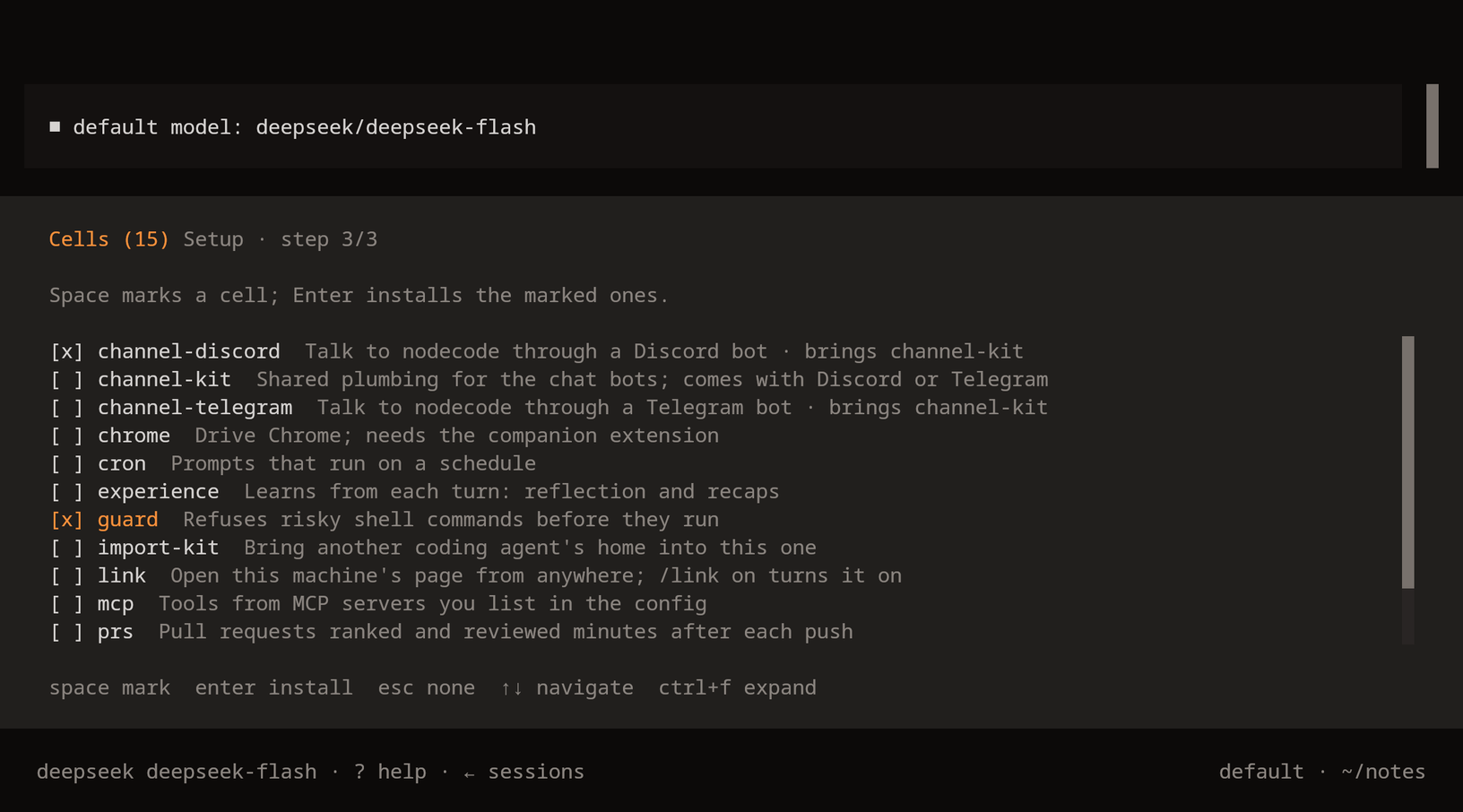
Pressing Esc to keep it minimal
Nothing installs, guard included. The summary says none installed.
Instead: Pick Recommended.
Pressing Enter in Choose without marking
Enter installs the marked rows only. None are marked.
Instead: Space on each cell, then Enter.
Picking Everything to be safe
Every cell loads in every Nodecode process. Discord and Telegram each open a panel.
Instead: Recommended now. /cells adds more later.
Pressing Esc on the hub question
It ends the walk. The shipped cells you marked go with it.
Instead: Pick Leave the hub's out.
5. Panels
A cell installed in this walk that needs settings opens a panel. It says what is . A pasted goes to a 0600 file under ~/.nodecode/secrets/. The config names the file, never the value.
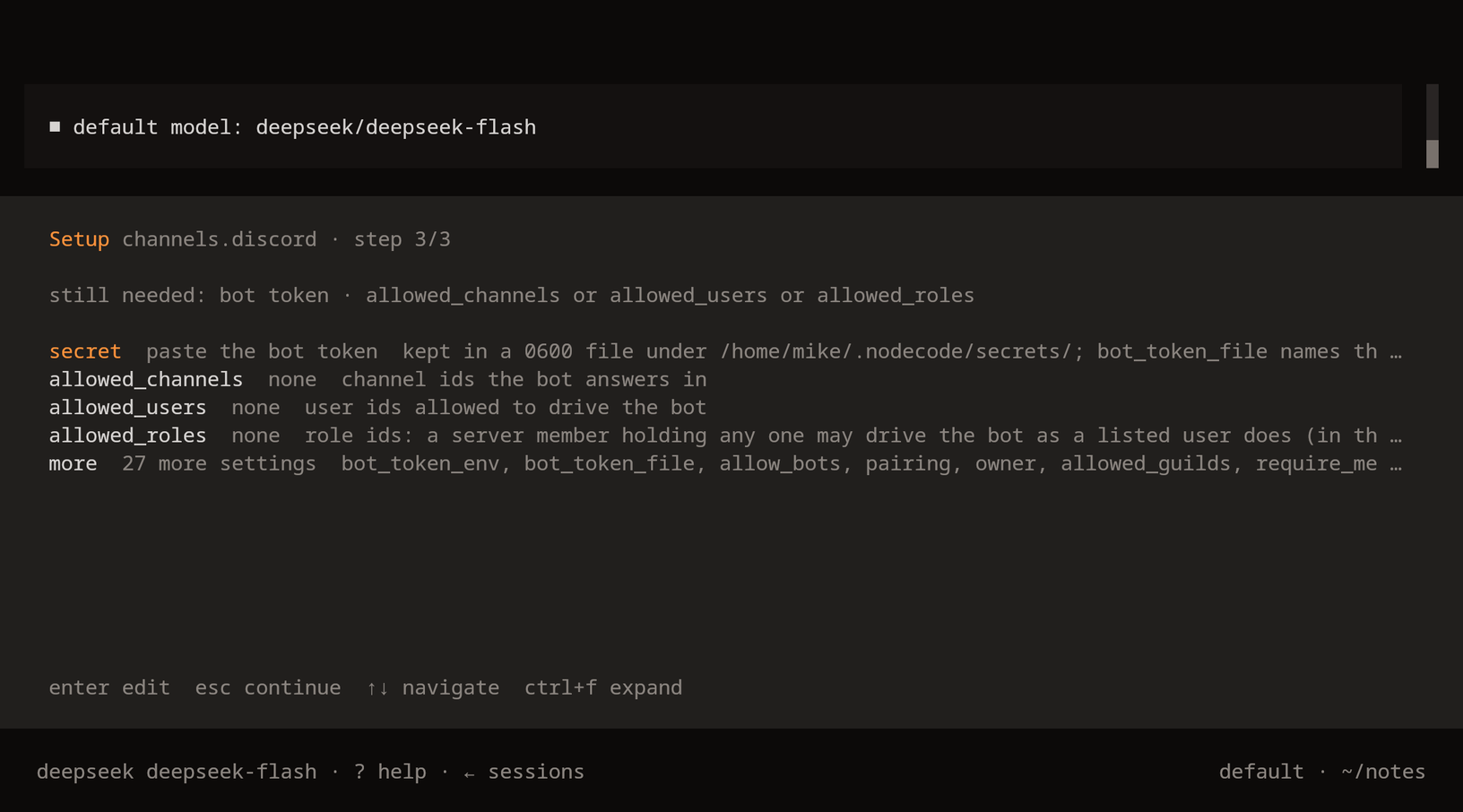
Pressing Esc and planning to finish it with /setup
/setup opens panels only for cells it installs. This one is installed already.
Instead: Ask the agent: "set up discord". Or set it in config.jsonc and restart the cell.
Pasting the bot token into config.jsonc
A token belongs in a file or an environment variable, never in the config.
Instead: Paste it on the secret row.
Typing channel names into allowed_channels
The field takes ids.
Instead: Save the token first. Enter then lists the channels by name.
6. Finish
The walk ends with a in the transcript. names a panel you skipped. shows only when nothing is missing. The footer gains the .
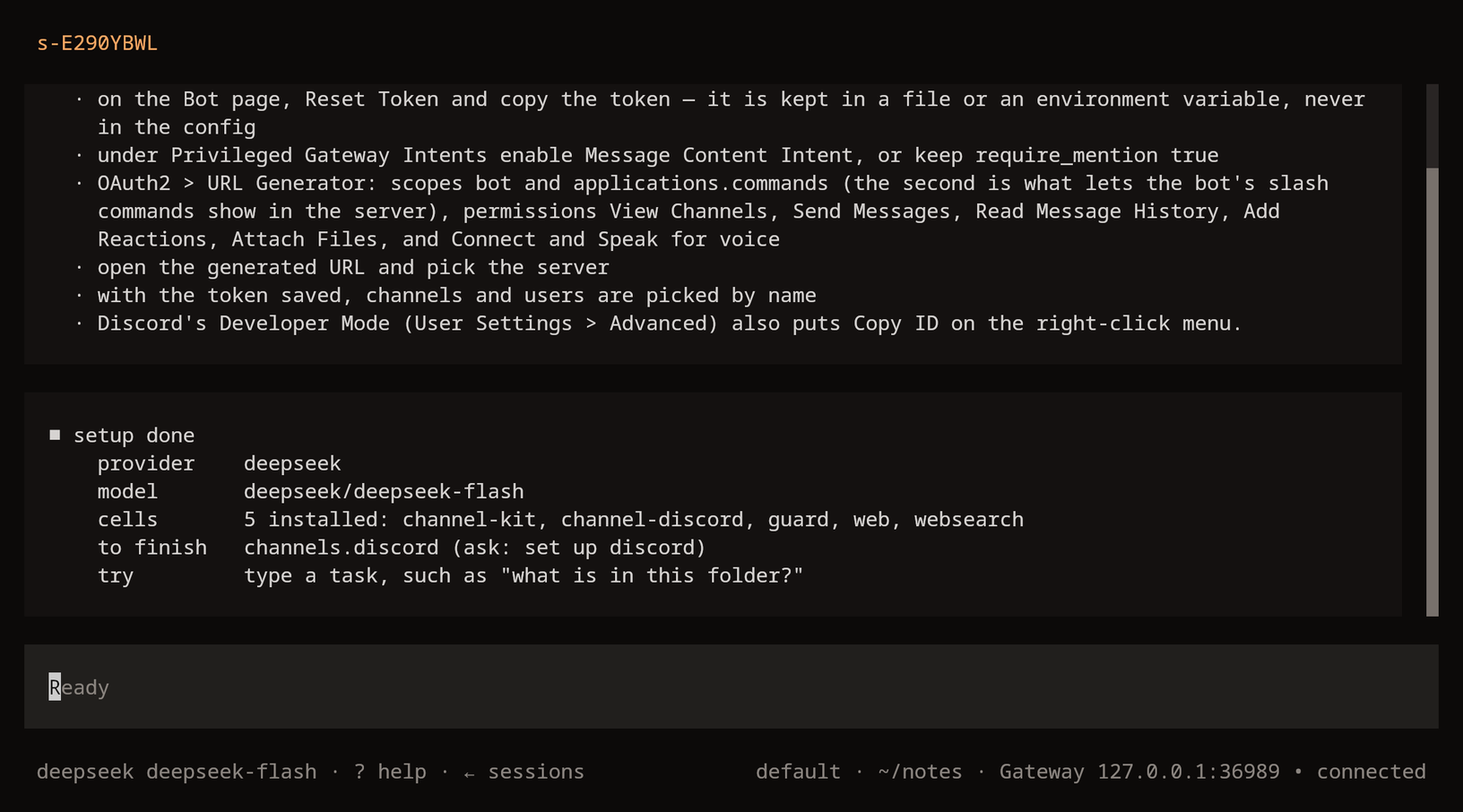
Typing a task under a problem line
The turn fails: no model is chosen yet: /setup connects a provider and picks one.
Instead: Clear each problem first. try shows when none is left.
Closing the shell before reading the summary
It is said once and not shown again.
Instead: /doctor reports the same.
Expecting it to keep running after the last shell closes
/doctor says gateway off — nothing keeps this organism running once its last shell closes.
Instead: nodecode gateway on.
Secrets
| Secret | Stored in | Mode |
|---|---|---|
| Provider API key | ~/.nodecode/auth.json | 0600 |
| A secret pasted into a panel | A file under ~/.nodecode/secrets/ | 0600 |
Coming back
| Command | Does |
|---|---|
nodecode setup | Opens the shell with setup on the first frame. |
/setup | Opens the whole walk. Takes no argument. |
/connect | Opens the provider step alone. |
/models | Opens the model picker alone. |
/cells | Lists cells. Space turns one on or off. |
/doctor | Lists what is missing, with a fix for each. |
Typing /setup discord
`/setup` does not take arguments.
Instead: /setup, then type to search.
Turning a cell off in /cells and expecting it gone
The row says its code stays loaded until a restart.
Instead: Restart nodecode.
Editing auth.json by hand
A file that doesn't parse reads as no keys. The next save fails.
Instead: Let /connect write it.
What it said, line by line: Troubleshooting. Then type a prompt and press Enter. Keys: Shell.